Tools
Figma
Descriptors
UI/UX Design, UX Research, Personas, Wireframing, Prototyping, Usability testing
Project Context
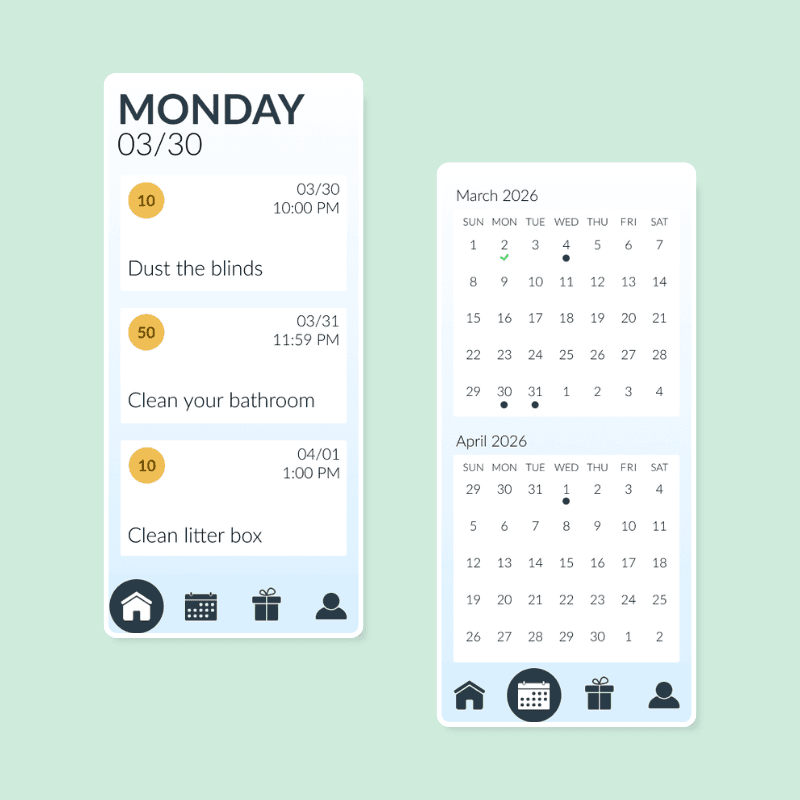
During Spring semester of my Junior year, I decided I needed more projects that showed off my UI/UX research and design skills. I specifically wanted to get more experience in Figma as well. During previous semesters, my dad and I had been talking about developing a chore management app for families to use and I decided to start building out parts of that concept while also developing my skills further.
Figma Prototype
Project Process
Problem
Parents often struggle to get their kids to take part in household chores and/or remember to do them.
Kids often don't see a point in doing these chores when they don't necessarily get anything out of it.
Solution
Building out an app that allowed parents to put all of the household chores in one place while also providing prizes to their children as an incentive to complete tasks both assigned to them and not assigned to them.
Initial Meeting
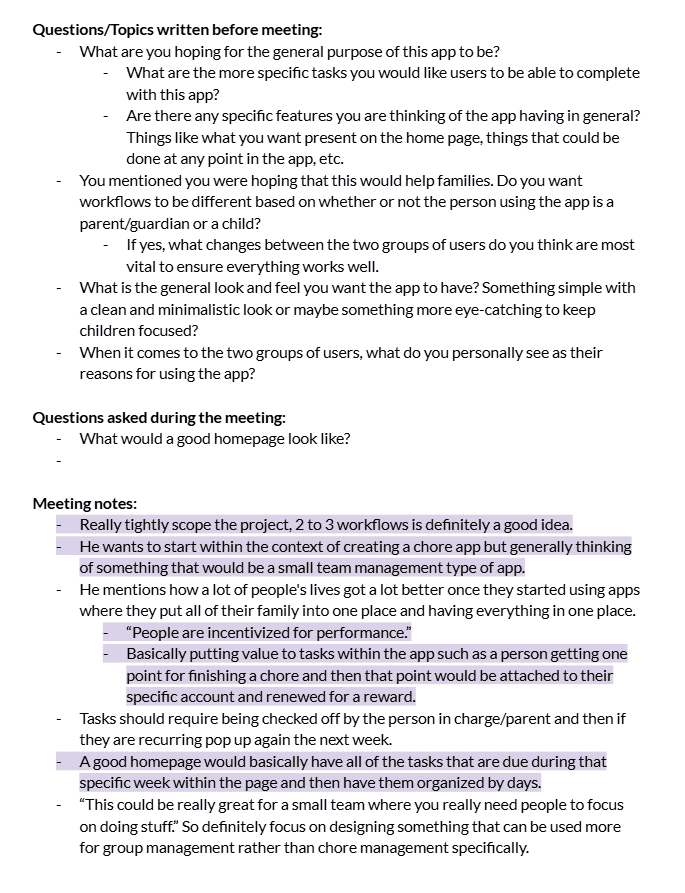
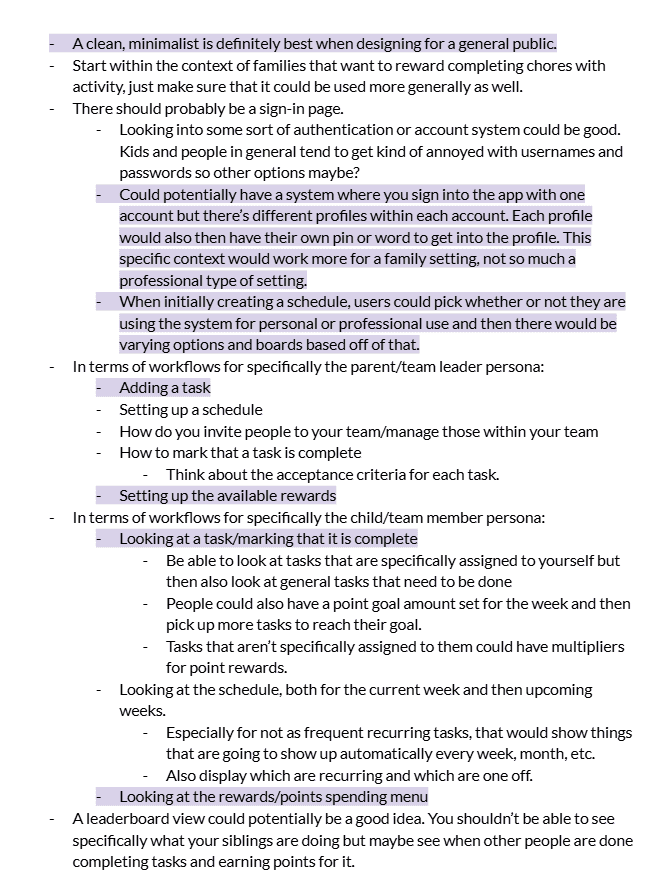
This project started with an initial meeting with a stakeholder. During this meeting I learned a few key things to keep in mind:
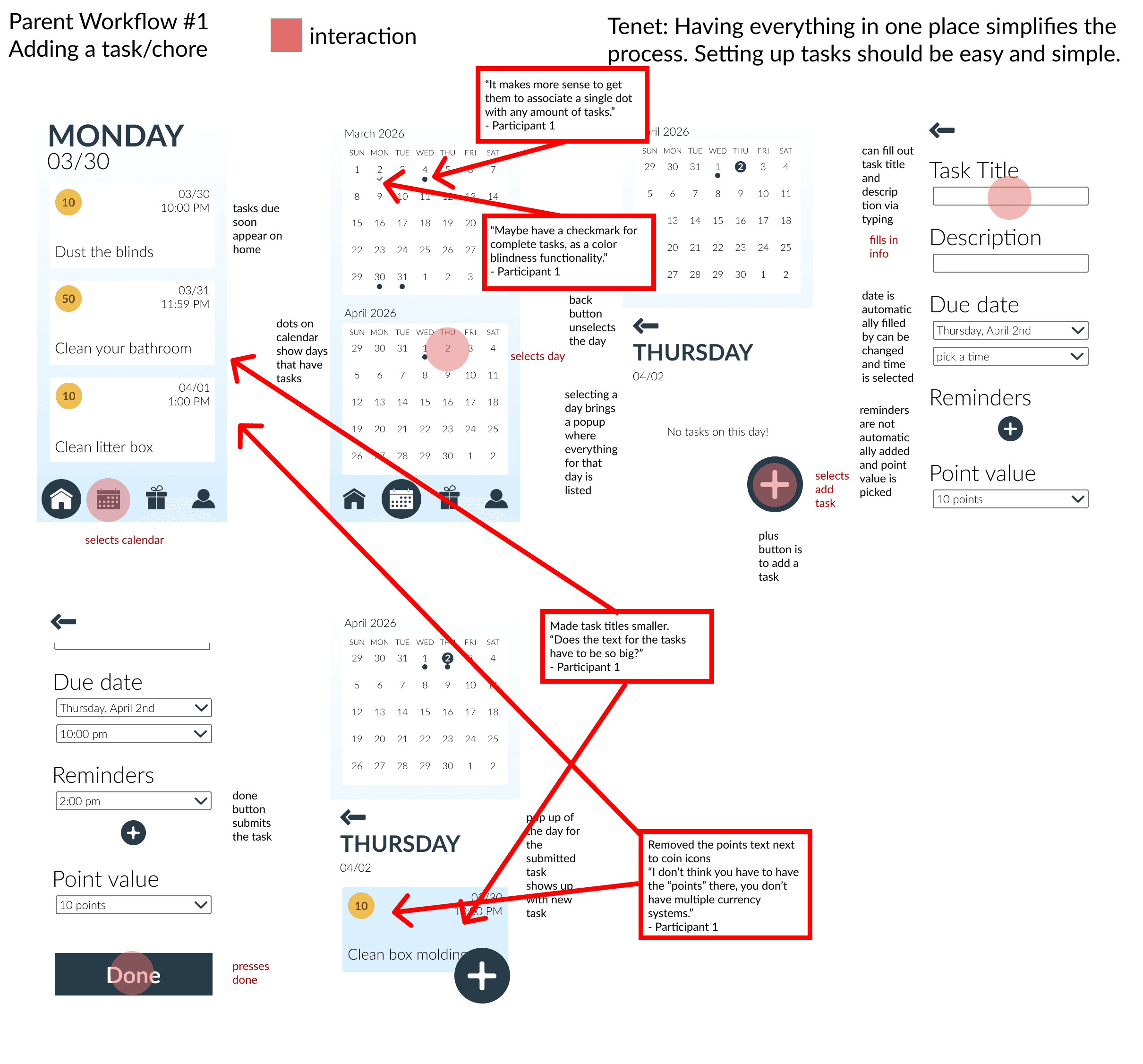
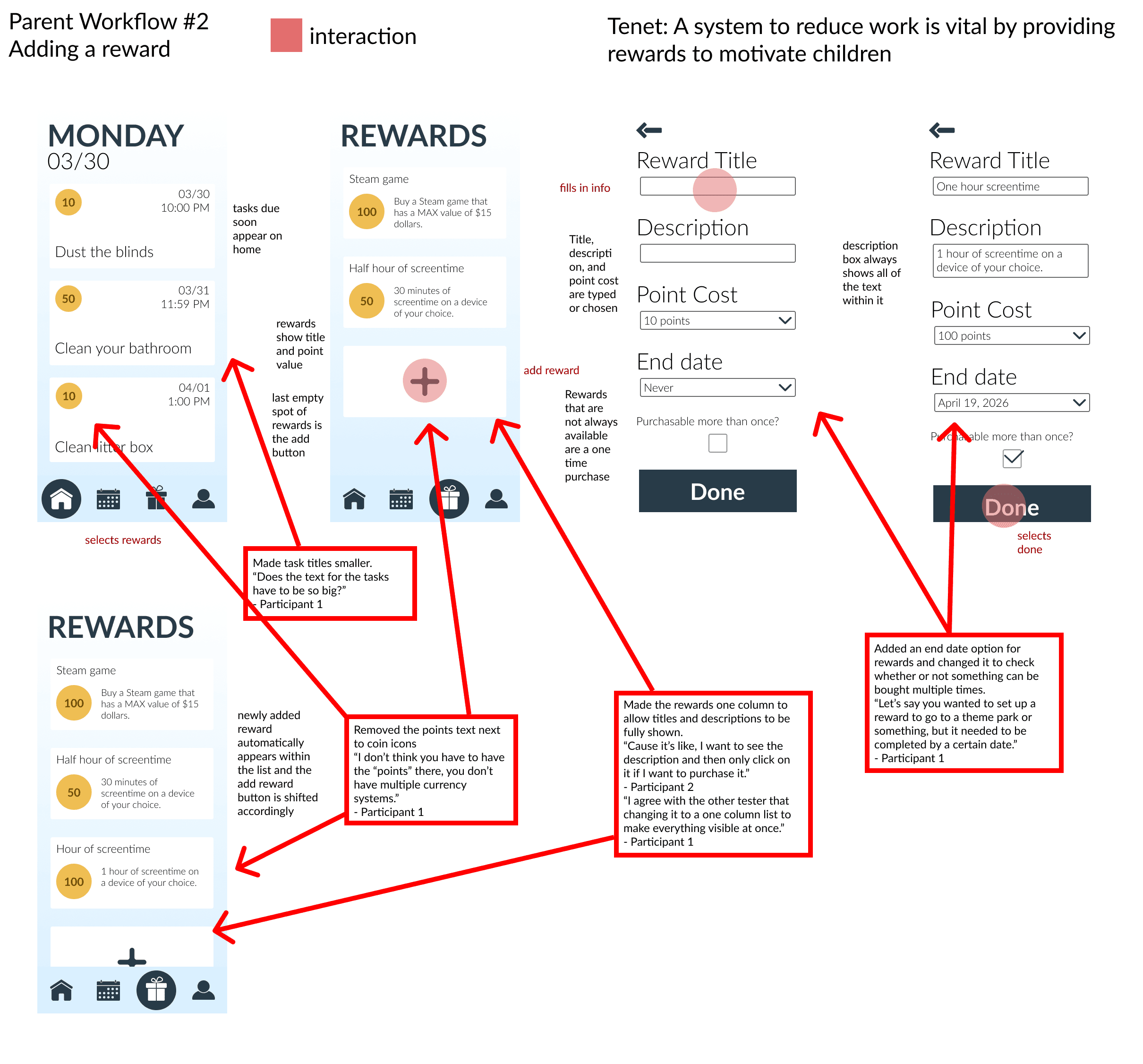
Building out the parts about setting up tasks and setting up rewards were most important.
Keeping a generally clean and simple look also allowed the app to be built out for more than just families in the future.
The homepage should have all of the most prominent things right there.
Creating a Persona
After the meeting, I created two user personas based on the two main users of the app.
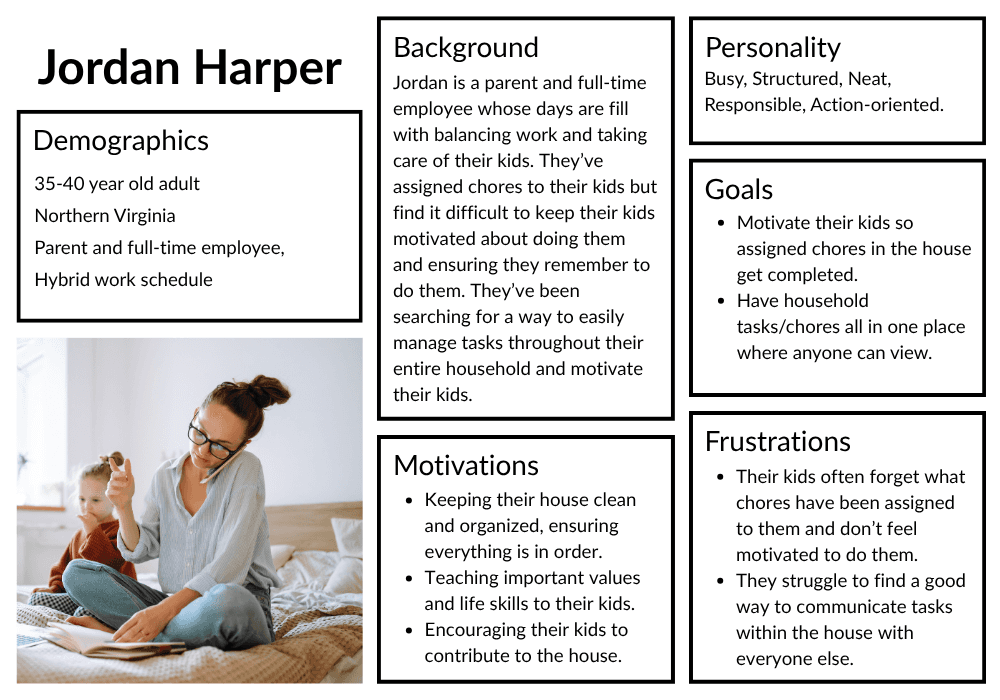
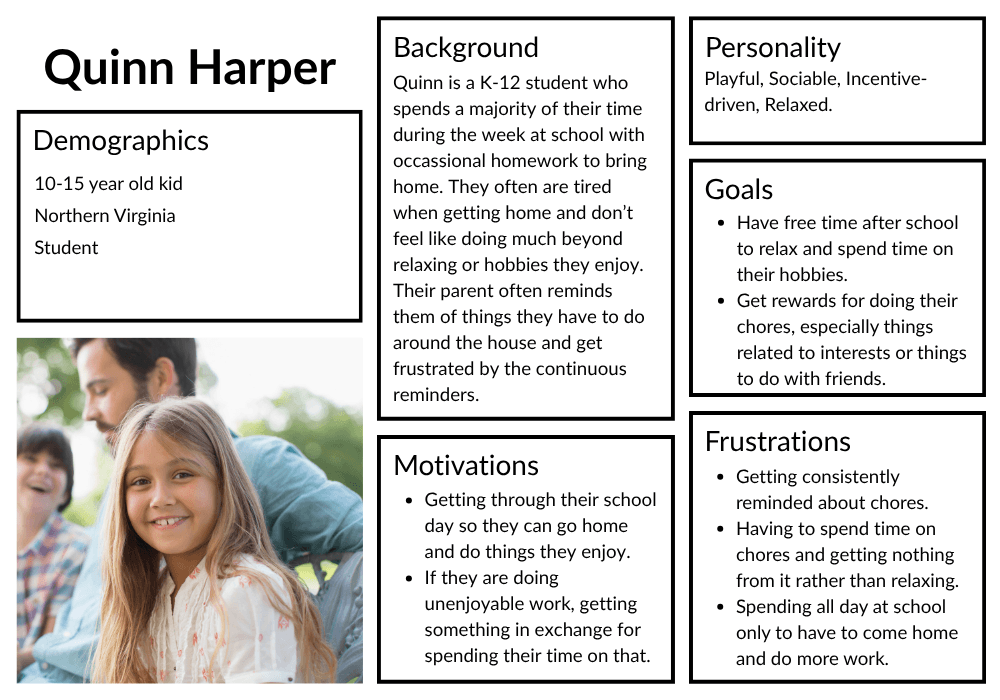
Three design tenets were also created for each of the user personas, keeping in mind future workflow creation as well. Each design tenet also included sub-bullets about specifics for that tenet.
Parent Design Tenets:
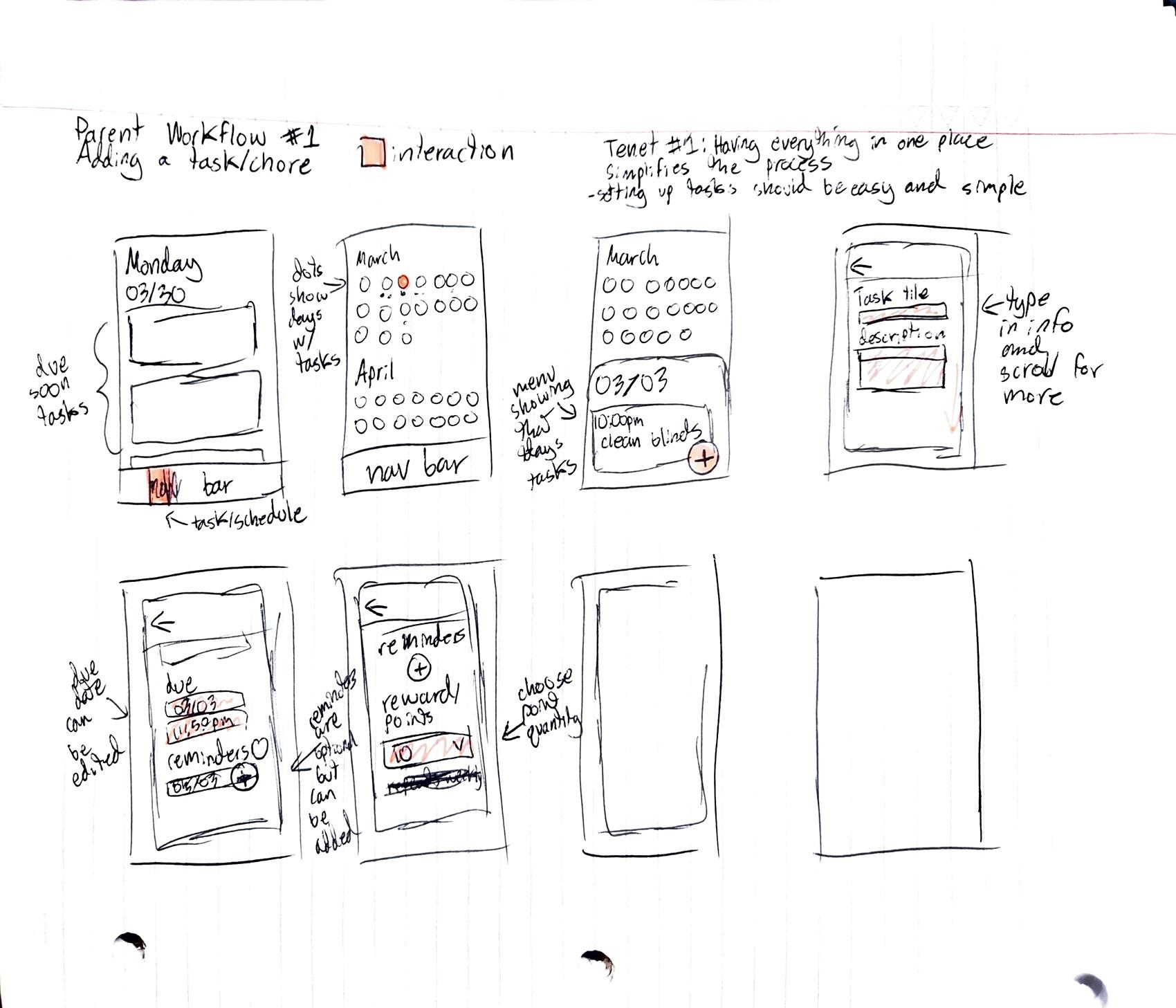
Having everything in one place simplifies the process.
Current tasks should be visible and future tasks should be easy to find.
"A system that takes some of the work of my plate is vital."
Child Design Tenets:
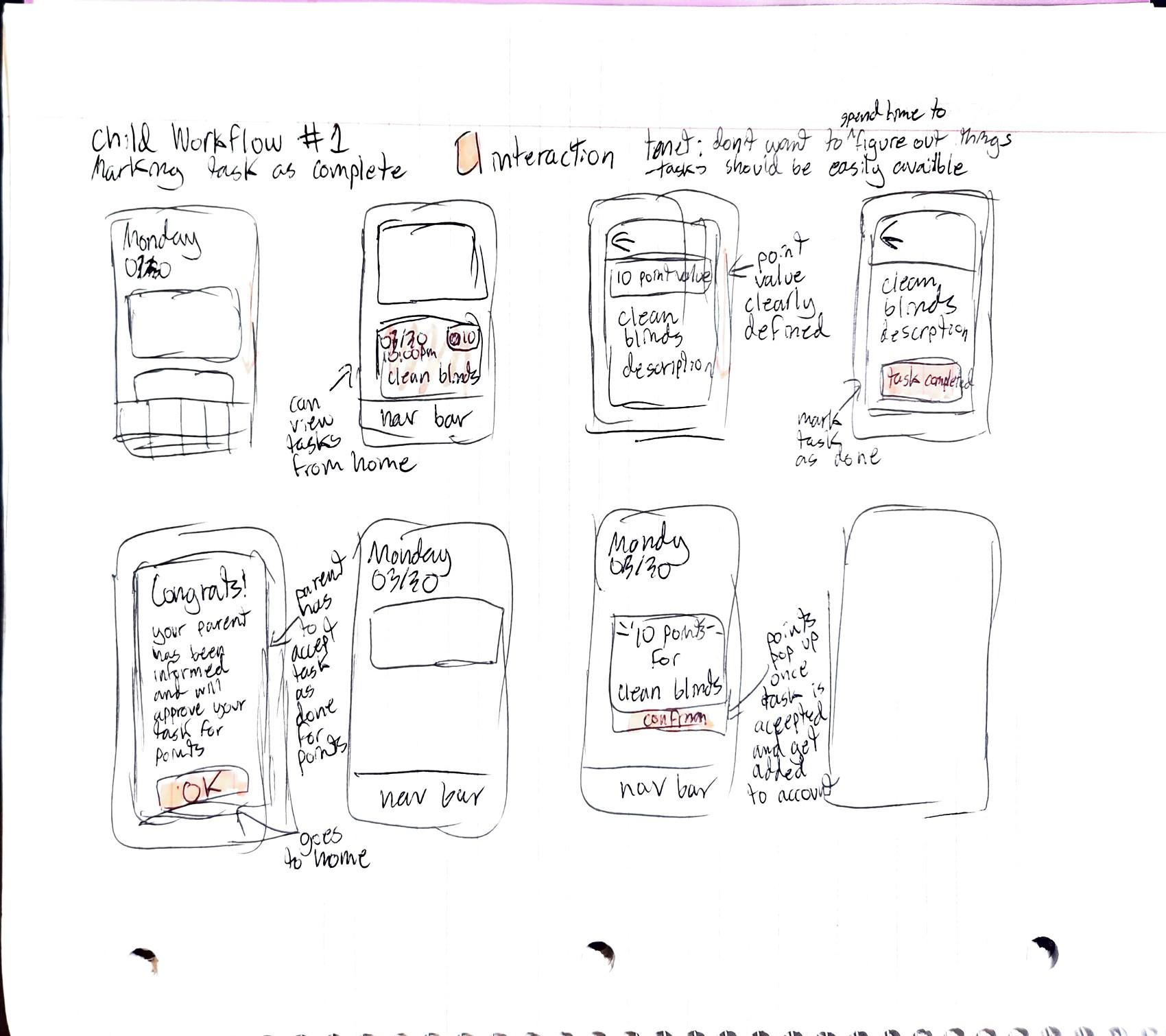
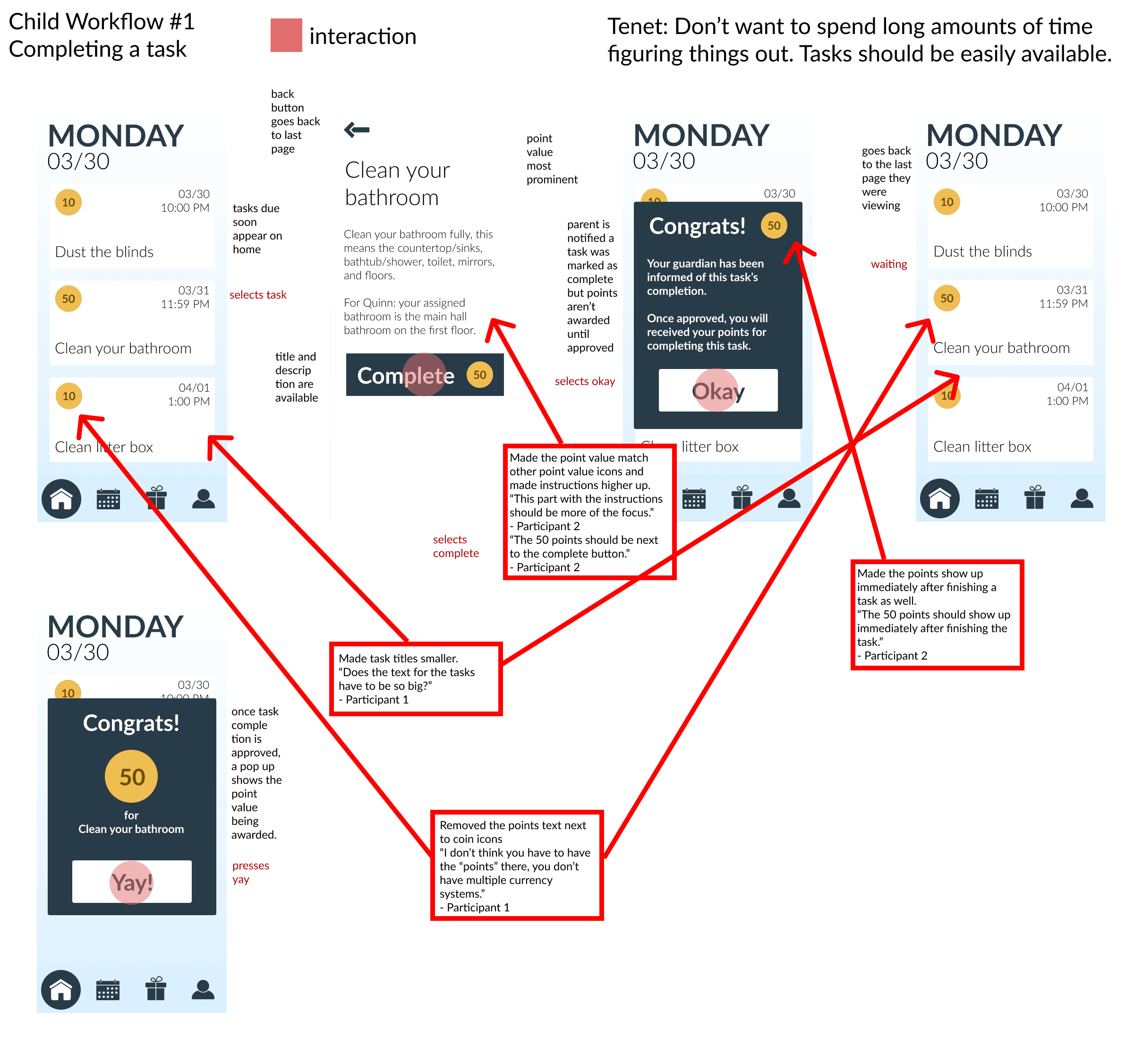
"I don't want to spend a lot of time trying to figure out what I'm supposed to do."
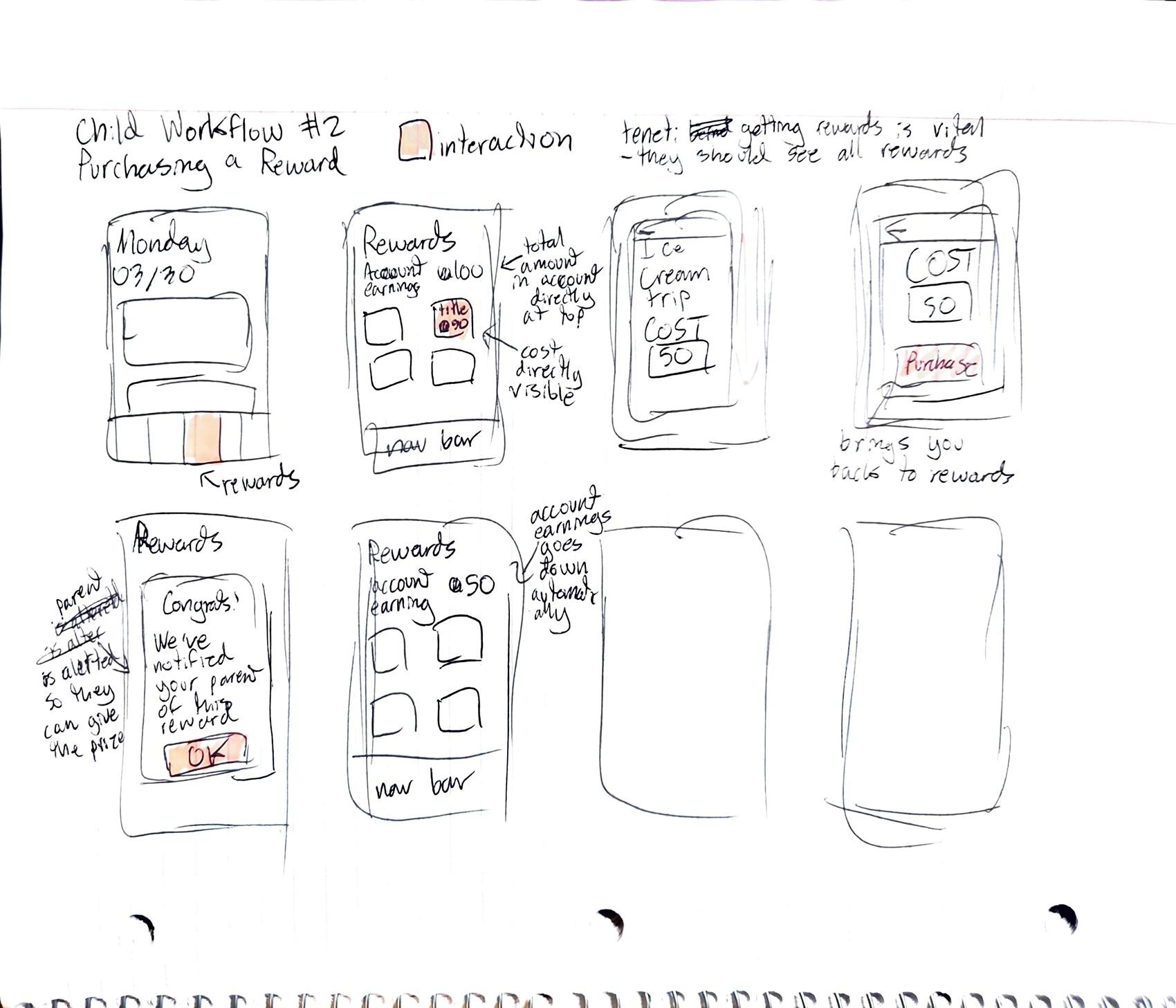
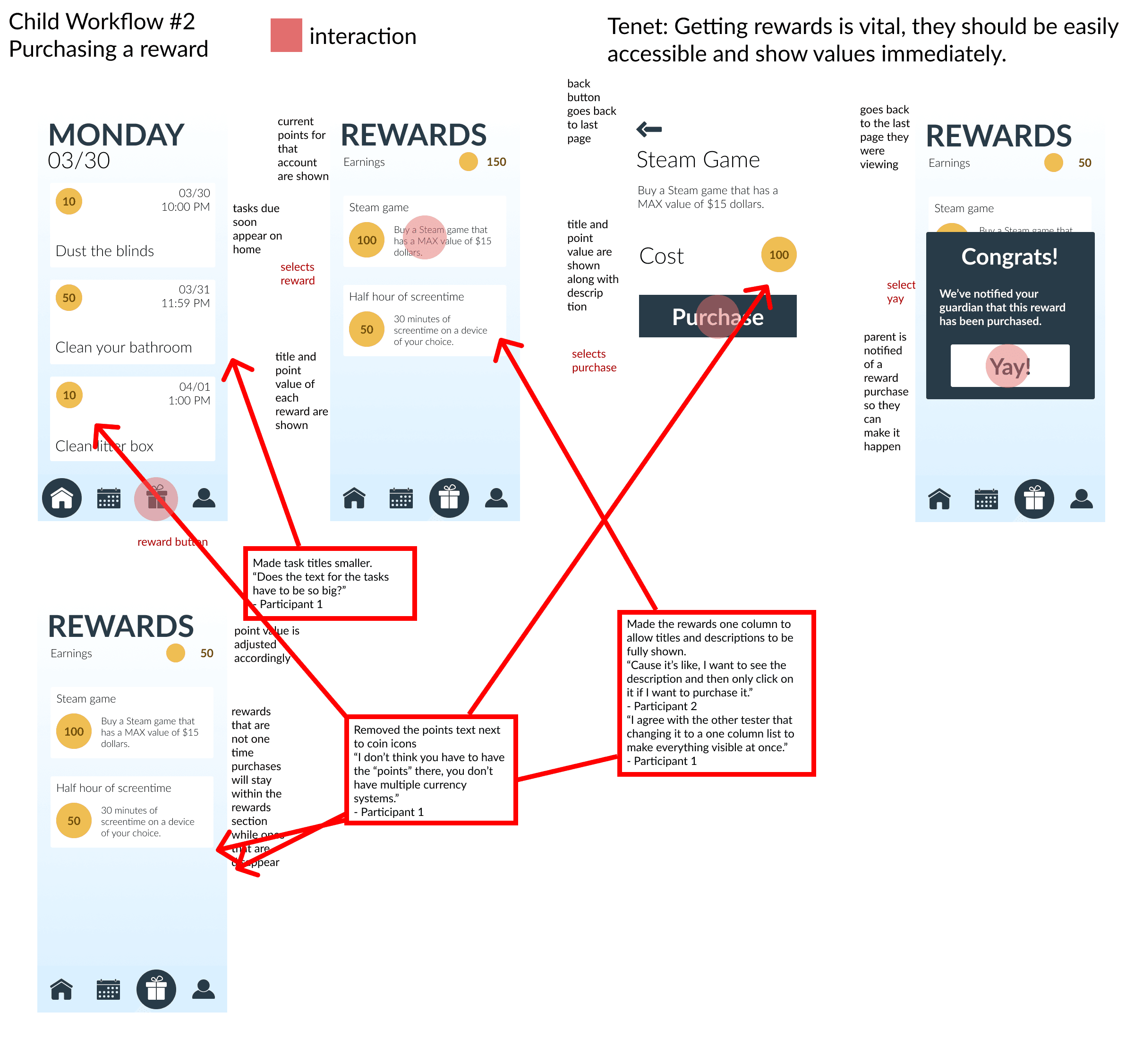
"Getting something in exchange for what I'm doing would encourage me to complete it."
"Reminders of what I have to do should include incentive and/or not be nagging."
Workflow Sketches
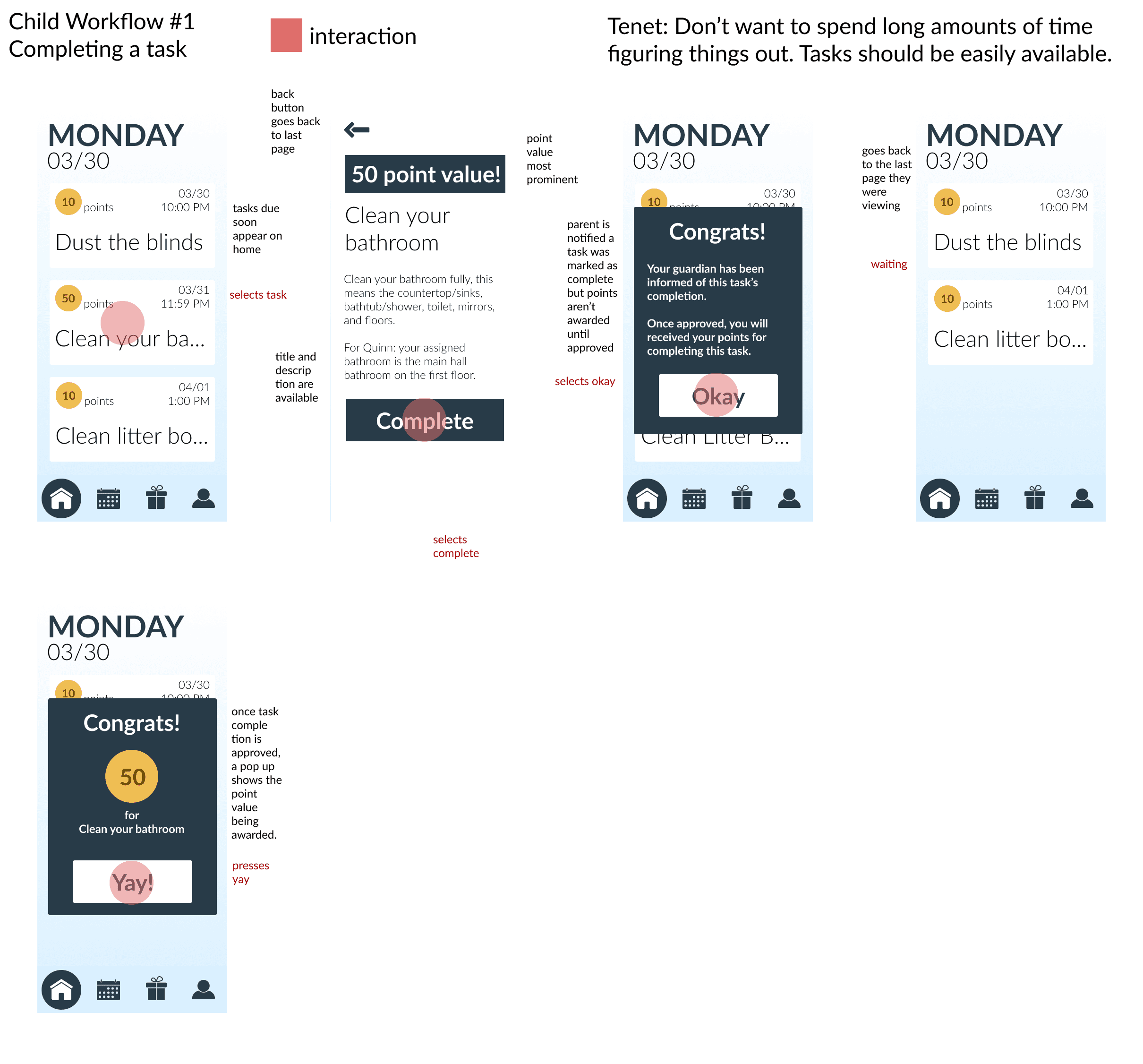
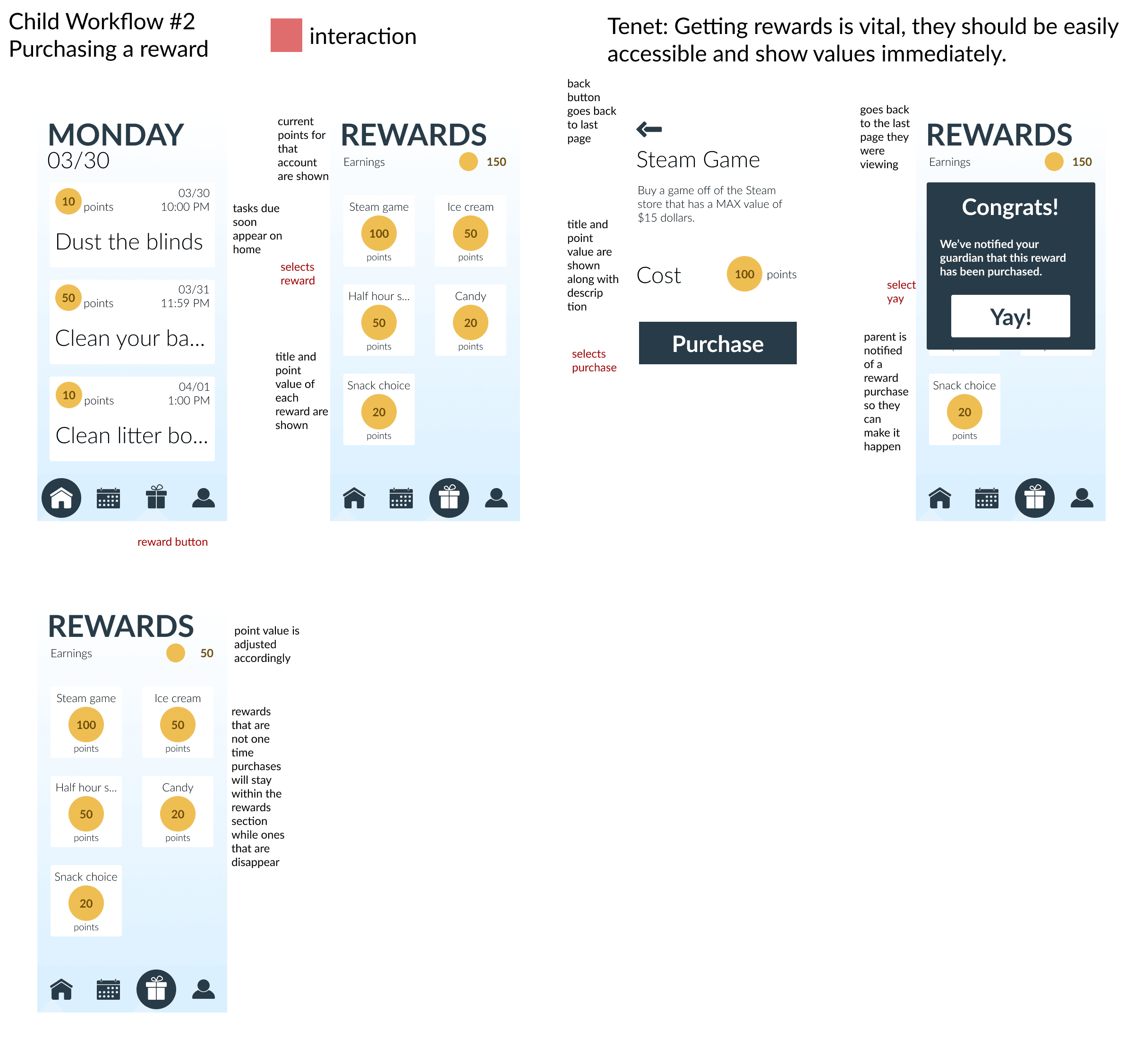
After creating the personas and design tenets, two workflows were developed for each persona. They both included one workflow that focused on the task aspect of the app while the other workflow focused on the reward aspect.
Lo-Fi & Hi-Fi Workflows
Lo-fi workflows were then created. These workflows included the very rough shapes of everything within the app.
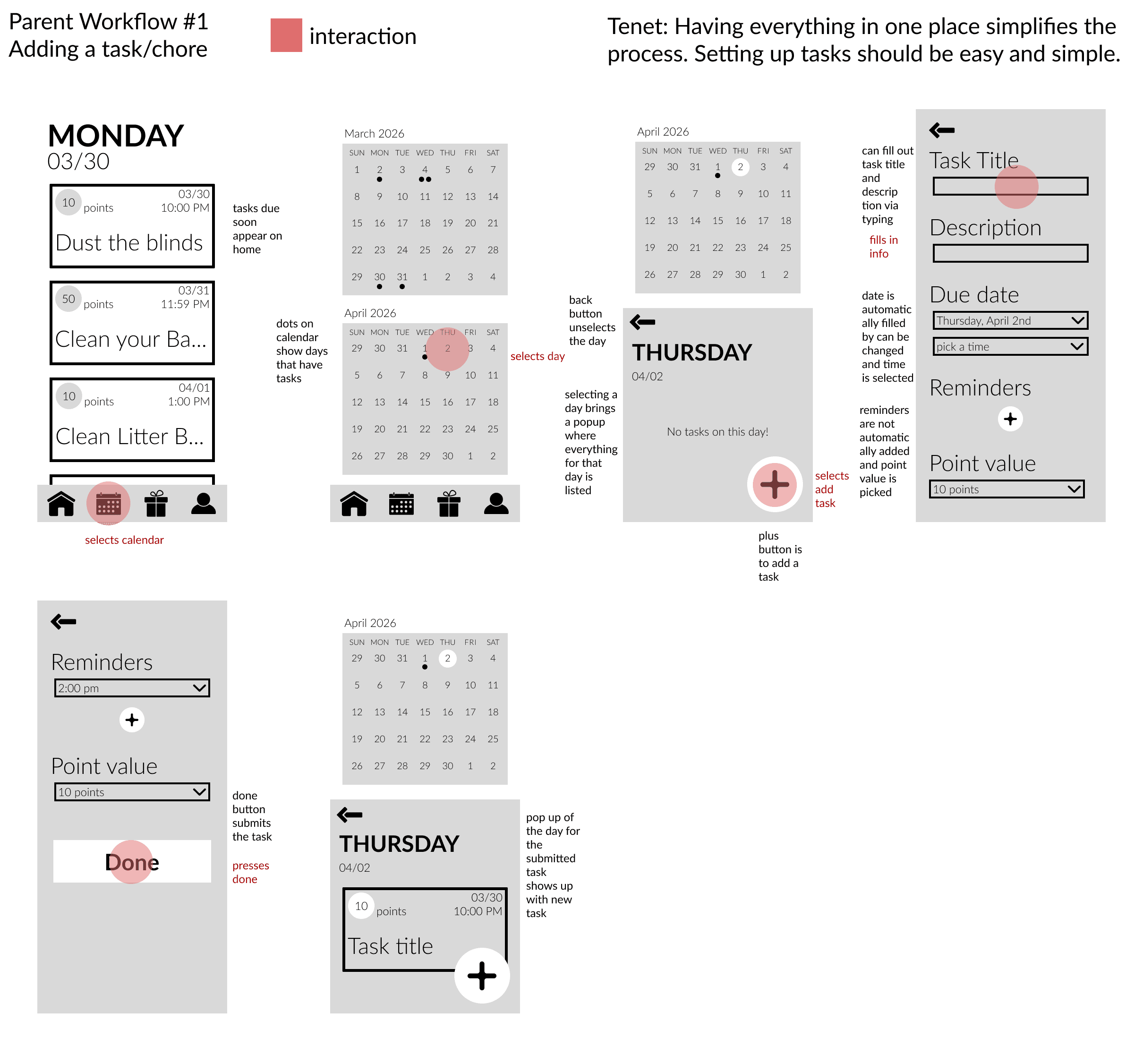
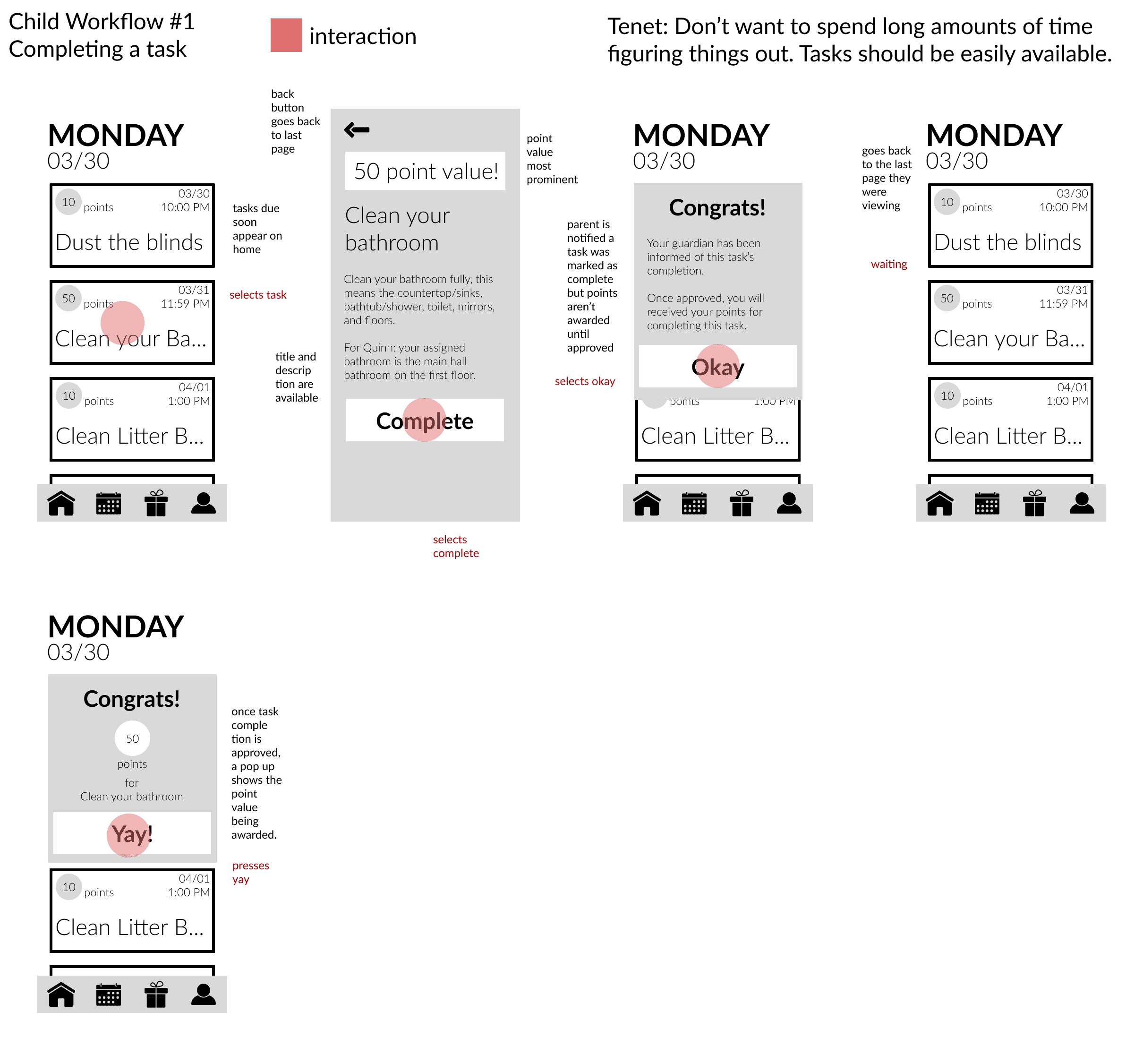
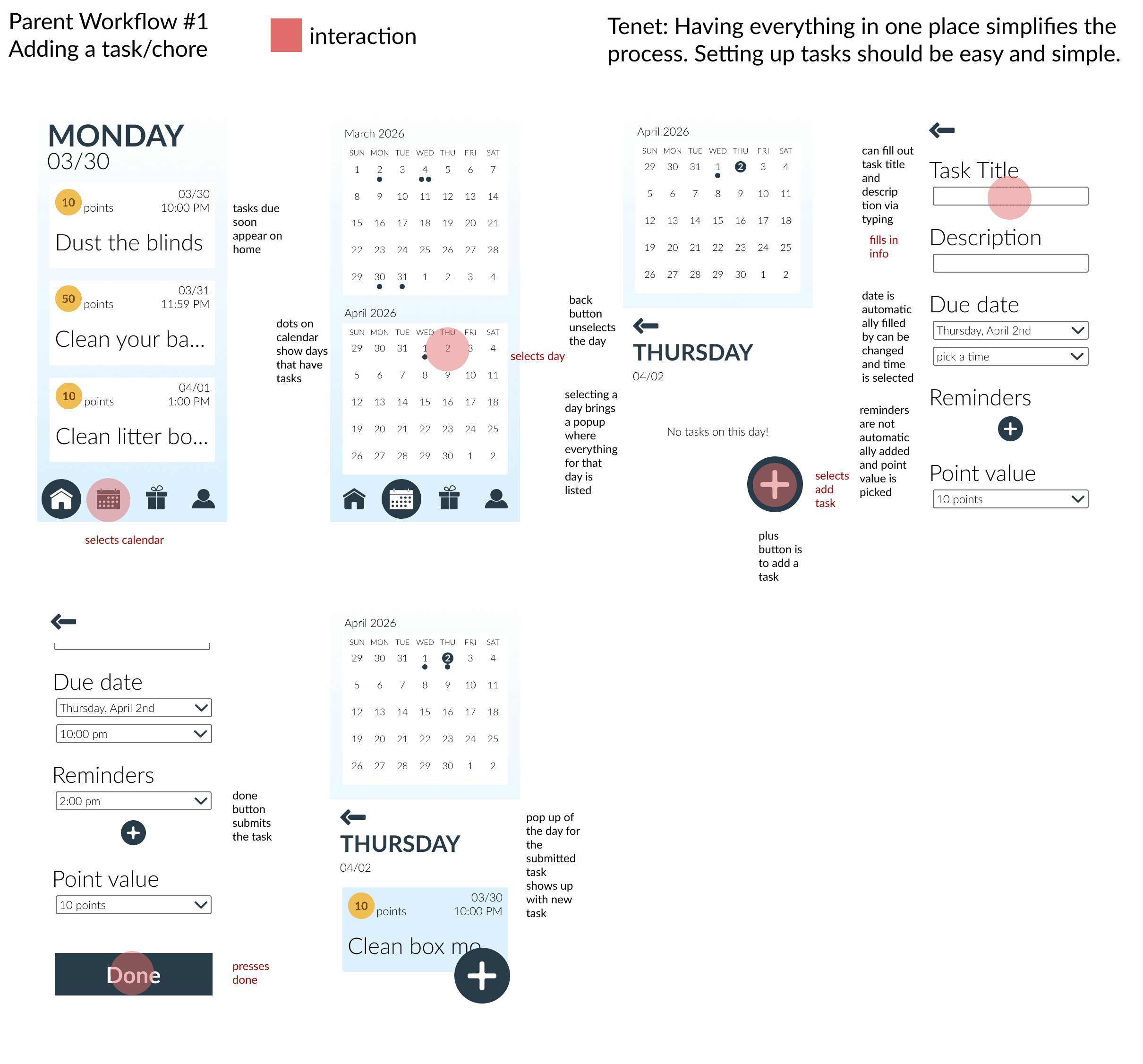
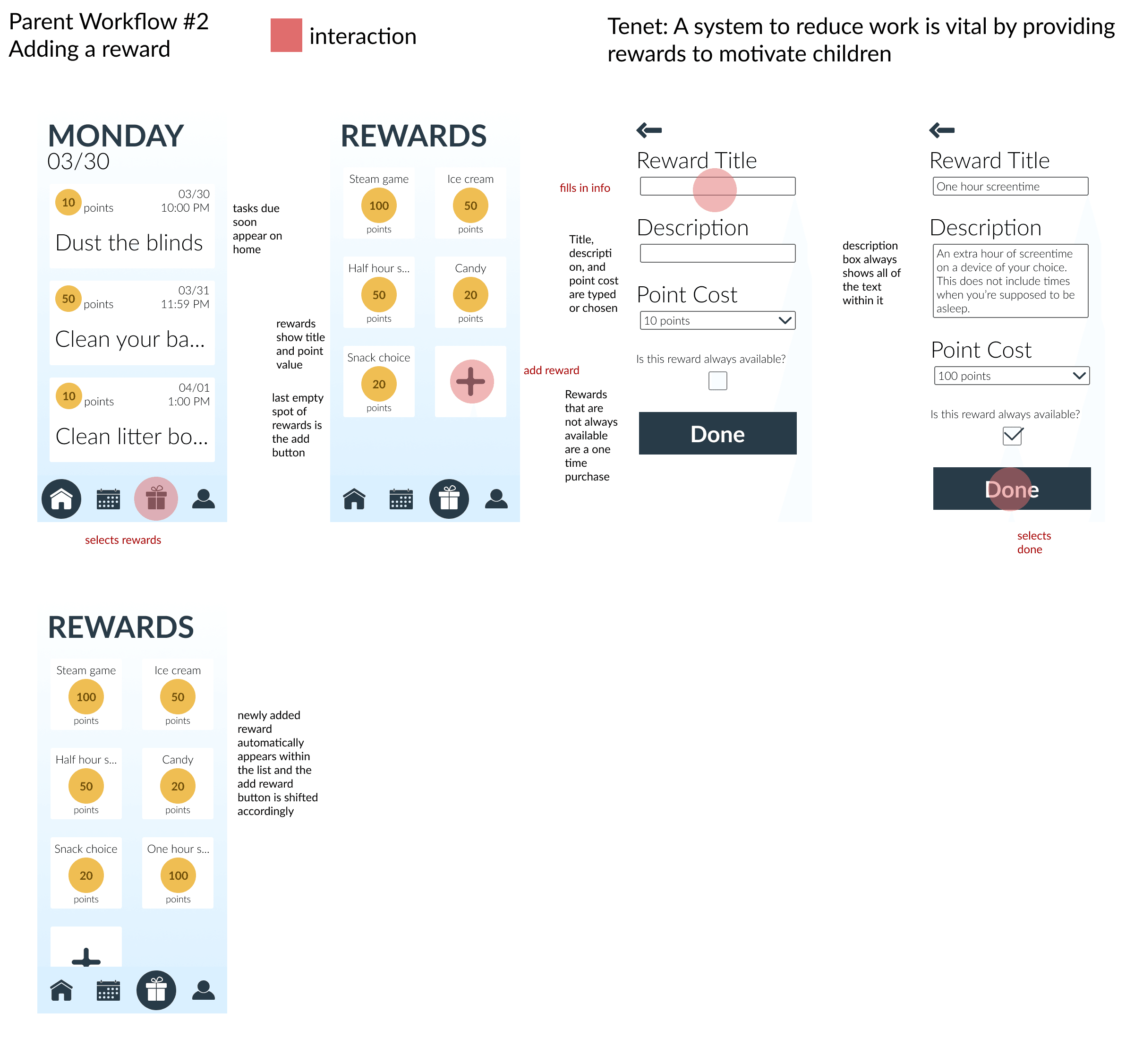
After lo-fi, hi-fi workflows were then created. The look of these were kept very broad and simple since the app could be for varying groups of people.
Usability Testing and Iterating
The prototype was then tested with two different people, one person for each user persona and version of the app.
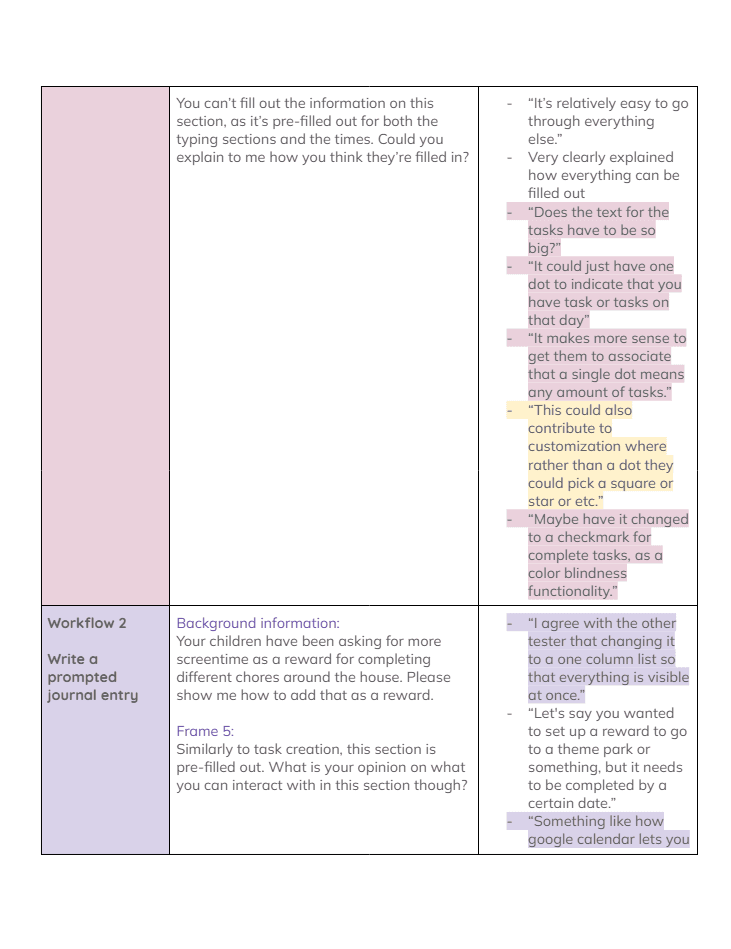
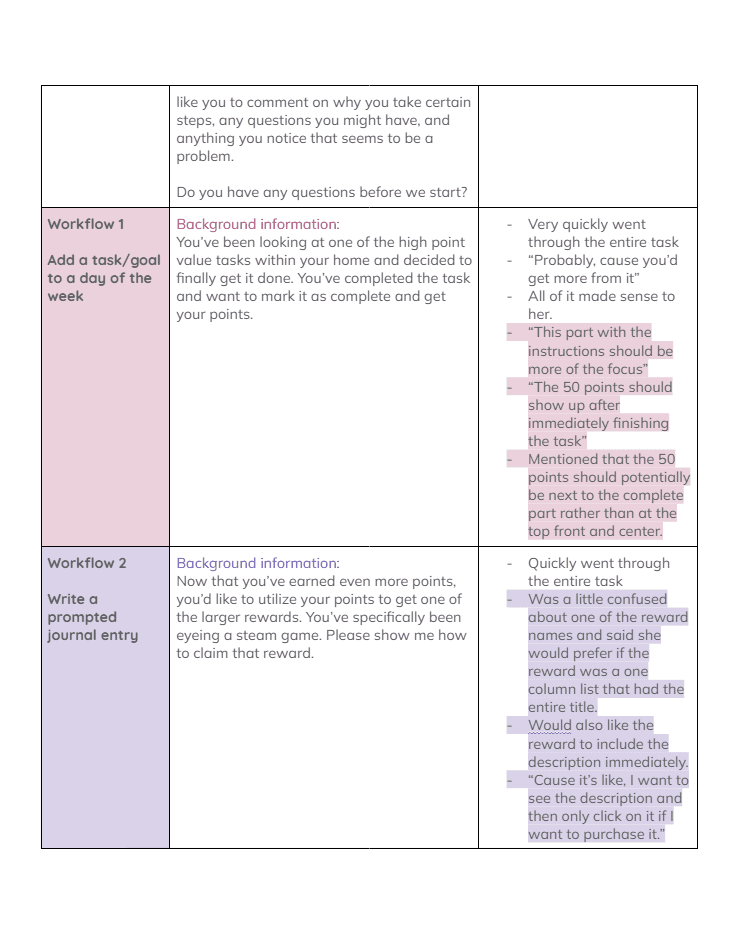
I used the notes and quotes from the usability tests to make changes to each of the workflows, making sure to attach specific quotes to the changes that were made.
Conclusion
One major thing that I learned from this project that I wasn't entirely expecting was how important it is to get consistent feedback when creating an app design like this. During user testing I got a lot of great feedback surrounding aspects of the app design that I could currently change but also ideas for other aspects of the app as it was built out further. A lot of these things were aspects that I hadn't thought of myself at all and it really showed how each person gives a unique perspective and getting those perspectives are what makes a design user centered.